To perform a Limit Tolerance operation in the Main Menu select Repair - > Limit Tolerance.
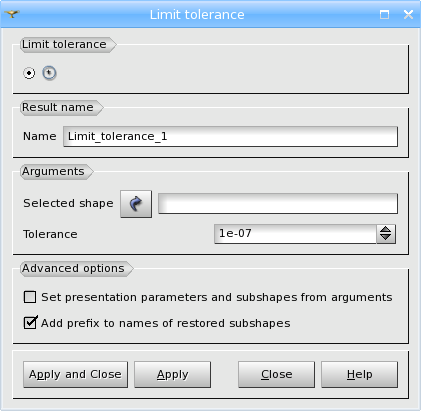
Arguments: Name + 1 shape + 1 value (new tolerance) + 1 boolean value (exact check).
It is possible on all kind of shapes.
The Result will be a GEOM_Object.
This functionality tries to set a new value of tolerance for the given shape. However, the final tolerance value also depends on the initial shape topology (takes into consideration the existing gaps) to obtain a valid resulting shape. If Exact check of edge tolerances is checked, exact calculation of gaps between curves of edges and surfaces of faces will be performed. It takes more time, but gives better results. Please note, that this gap value will limit the tolerance below, but not above.
Example of usage:
- Partition objects obj1 and obj2.
- Partition fails.
- Perform Limit Tolerance on objects obj1 and obj2.
- Try to partition them again.
See also TUI example.
TUI Command: geompy.LimitTolerance(Shape, Tolerance, isExact), where Shape is a shape with presumably incorrect tolerance, Tolerance is the required tolerance value and isExact is a boolean flag to enable exact edge tolerance calculation.
Our TUI Scripts provide you with useful examples of Repairing Operations.