It is frequently asked about the difference between the above mentioned operations. It is indeed simple. Let us take the example of a cylinder and a box that you want to join together.
Fuse
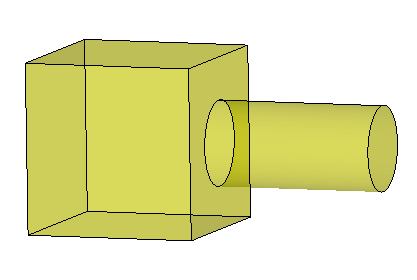
The fuse operation will make a single solid from two given solids. It allows you to build complex models by putting simple shapes together.
Partition
The partition operation will also connect the solids but it will keep a face at the frontier (in brown in the picture below). The resulting shape will consist of two connected solids that share a face at their frontier. It means that this face is present only one time in the resulting shape and is a sub-shape of both the box and the cylinder.
This operation allows you to identify different areas in a shape (e.g. different materials) and to ensure a conformal mesh when meshing it later. Indeed the face at the frontier is meshed only once.

Compound
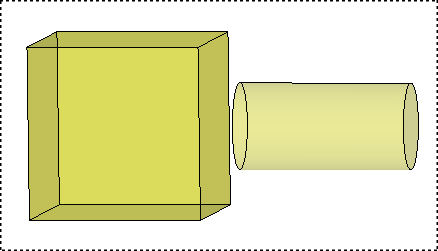
When you build a compound by using the Build -> Compound operation you just make an object that contains two separate solids like in a "bag". The two solids remain unconnected. The compound is just a set of shapes, no more.
The compound allows applying operations to a collection of shapes.
Summary
In the frame of this example we can summarize the following differences:
-
Fuse
- Result : A single solid.
- Purpose : Allows building complex models by putting simple shapes together.
-
Partition
- Result : Two connected solids sharing faces.
- Purpose : Useful to ensure a conformal mesh of separate areas of your model (fluid / solid , concrete / steel ...).
-
Compound
- Result : Two unconnected solids.
- Purpose : Allows applying operations to a collection of shapes.