Archimede
To produce an Archimede operation in the Main Menu select Operations - > Archimede
This operation creates a plane corresponding to the modeled water-line of the object plunged into the water (in Z direction).
The Result will be any GEOM_Object.
TUI Command: geompy.Archimede(Shape,Weight,WaterDensity,MeshingDeflection), where Shape is a shape to put into the water, Weight is a weight of the shape, WaterDensity is density of water, MeshingDeflection is a deflection of the mesh, using to compute the section.
Arguments: Name + 1 shape + 3 values (Weight, Water Density & Meshing Deflection).
Advanced options Preview

Example:
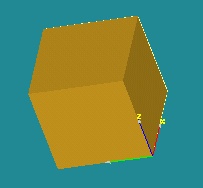
The shape
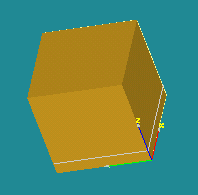
The waterline on the shape

The resulting plane
Our TUI Scripts provide you with useful examples of the use of Basic Operations.