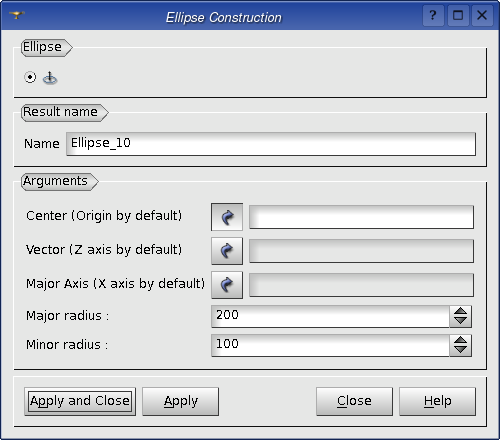
To create an Ellipse in the Main Menu select New Entity - > Basic - > Ellipse
You can define an Ellipse by its Center point, a Vector giving its normal, another vector specifying the direction of ellipse's Major Axis and its Major & Minor Radiuses.
The Result of the operation will be a GEOM_Object (edge).
- Note
- The parameters Center, Vector and Major Axis are optional. By default it is presumed that the Center point is located at the origin of the global coordinate system, the Vector corresponds to OZ axis of the global coordinate system and Major Axis corresponds to OX axis of the global coordinate system.
- The actual direction of the major axis vector is defined as Vmaj' = (Vn * Vmaj) * Vn, where Vn is a normal vector and Vmaj is an original vector of the major axis.
TUI Command (without the major axis): geompy.MakeEllipse(Point, Vector, RadiusMajor, RadiusMinor, VectorMajor=None)
Arguments: Name + 1 vertex (for the center) + 1 edge (for the direction) + 1 X Radius + 1 Y Radius + 1 optional edge (for the major axis direction).
If the VectorMajor argument is omitted, the ellipse's major axis will be along the X-axis.
Example:

Our TUI Scripts provide you with useful examples of creation of Basic Geometric Objects.