To produce an Offset Surface in the Main Menu select Operations - > Transformation - > Offset Surface
There are 2 algorithms for creation of an Offset.
Firstly, you can offset all faces of selected shape(s) to the same value.
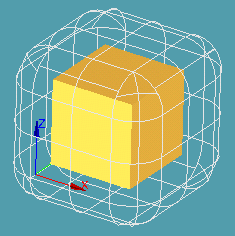
This operation translates each point of an Object (a set of Objects) along a local normal by a given Offset distance (signed number, negative value meaning inner offset). Gaps between translated adjacent surfaces are filled in either of two ways:
- if Join by pipes is activated, they are filled with pipes;
- else the surfaces are extended and intersected, so that sharp edges are preserved.
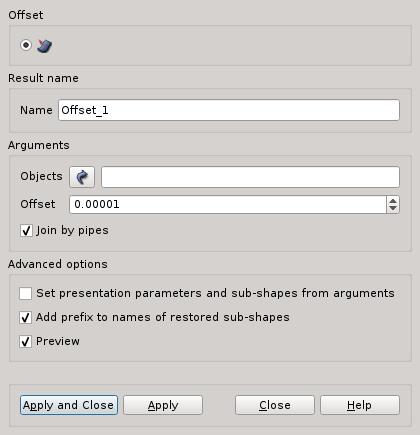
Arguments: Name + Object(s) (face(s), shell(s), solid(s)) + Offset value.
The Result will be a GEOM_Object.
Advanced options.
Example:
TUI Command:
- Gaps filled by pipes: geompy.MakeOffset(Shape, Offset),
- Gaps filled by intersection: geompy.MakeOffsetIntersectionJoin(Shape, Offset),
where Shape is a shape(s) which has to be an offset, Offset is a value of the offset.
Secondly, you can offset only selected faces of the shape to the given value, other faces will stay at their initial places, but could be extended to join with offset faces. Gaps between adjacent surfaces are filled by intersection of extended surfaces.
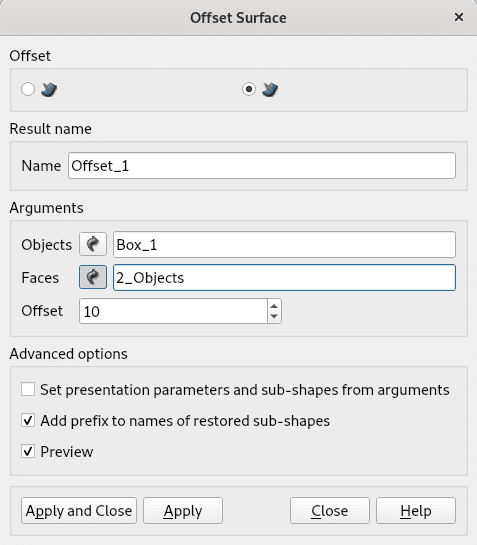
Arguments: Name + Object (shell or solid) + Face(s) of the object + Offset value.
The Result will be a GEOM_Object.
Advanced options.
TUI Command:
- geompy.MakeOffsetPartial(Shape, Offset, ListOfFacesIDs),
where Shape is a shape(s) which has to be an offset, Offset is a value of the offset, ListOfFacesIDs is a list of integer IDs of sub-faces.
Our TUI Scripts provide you with useful examples of the use of Transformation Operations.