Extruded boss
The Extruded boss operation allows you to easily add material on a solid by extruding a profile along the normal to its plane.
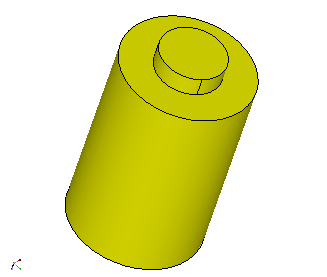
To produce the extruded boss:
-
Draw the profile of the extrusion. It can be:
-
a Sketch drawn on a planar face of the initial shape you want to boss.
- any closed edge or wire of this shape (circle, ellipse ...).
-
-
In the Main Menu select Operations - > Extruded Boss or click on

-
Fill in the dialog box fields:
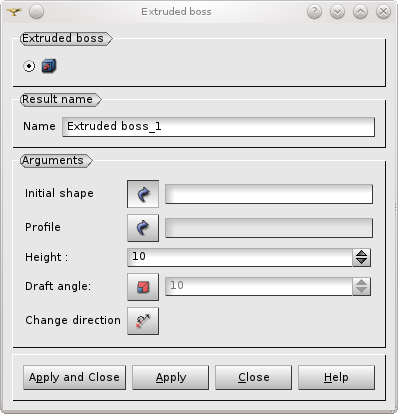
The input arguments are:
- The initial shape you want to add material on. It must be a solid or a compound made of a single solid.
- The profile. It must be a closed edge or wire and it must be planar.
- The height of extrusion. It is calculated from the base profile along the normal to its plane.
And optionally:
- A draft angle in degrees. Activated by clicking on

The direction can be reversed by pushing the Change direction button:

This functionality is available via the textual interface with the command:
TUI Command: geompy.MakeExtrudedBoss(InitShape, Profile, Height, Angle),