Filters plug-in
Filters plug-in provides a collection of filters used Filters property panel (for example see Group feature).
Selection filters
Selection by filters panel looks like following:
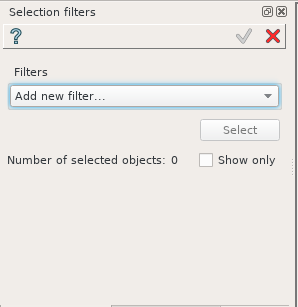
Selection by filters property panel
In this panel:
Filters a panel for added filters.
Add new filter combo box. It contains accessible filters according to the selection mode. When user selects an item from this combo box a filter item appears in Filters panel like in the following example:

Filters Horizontal faces and On plane added to the property panel.
If filter is implemented as “Multiple”, several instances of this filter may be added in one selection. Otherwise the added filter is removed from the “Add new filter…” list.
Each filter item can be deleted with help of  button. A filter can be reversed with help of toggle button
  /
/ . Also a filter could have input fields in case
if the filter has arguments.
. Also a filter could have input fields in case
if the filter has arguments.
Select button traverses all objects of a current document and selects entities acceptable by currently defined set of filters. All selected entities will be shown in viewer 3d with blue semi-transparent color. Any modification in filters clears current selection.
Number of selected objects shows number currently selected entities.
Show only check box hides all non-selected objects.
Accept button in the Selection filters property panel reopens a property panel where the selection filters was called and transfers all selected entities to the corresponded list.
Filters
Belongs to
By default, the result of Selection feature all selectable entities from all Shapes registered in the “Results” folder. This filter provides a way to explicit (restrict) the results in which looking for selectable entities.
Result type: Any
Argument: Any result object, multiple OR selection accepted
Algorithm: Returns only shapes that belong to selected results.
Edge size
Result type: Edge
- Argument:
Comparator: <, <=, >, >=, is between, is strictly between
Size or Min size and Max size
Algorithm: Returns all edges whose length respect comparator rules.
Face size
Result type: Face
- Argument:
Comparator: <, <=, >, >=, is between, is strictly between
Size or Min size and Max size
Algorithm: Returns all faces whose area respect comparator rules.
Volume size
Result type: Solid
- Argument:
Comparator: <, <=, >, >=, is between, is strictly between
Size or Min size and Max size
Algorithm: Returns all solids whose volume respect comparator rules.
Feature edges
This algorithm identifies edges between two faces discontinuous with an angular tolerance.
Result type: Edge
- Argument:
Angle an angular tolerance used by G1 continuity criterion for comparing the angle between the normals
Algorithm: Returns all edges between two discontinuous faces.
On a plane
Result type: Vertex, Edge, Face
Argument: Planar face or Construction plane, multiple OR selection accepted
Algorithm: Returns all vertices, edges or planar faces geometrically located on (co-planar) the given plane.
On a Line
Result type: Vertex, Edge
Argument: Straight Edge or Construction axis, multiple OR selection accepted
Algorithm: Returns all vertices coincident or all edges collinear to the given line.
On geometry
Result type: Any
Argument: Any Shape, multiple OR selection accepted
Algorithm: Returns the shapes which have the similar underlying geometry of the given Shape. Like all faces laying of the same geometrical surface or edges laying on the line.
On plane side
Result type: Any
Argument: Planar face or Construction plane
Algorithm: By default, the side is in direction of normal of the given plane. For getting the other side, simply invert the filter by clicking on the Check button.
Opposite to an edge
This algorithm is based on the Propagate geompy function. It works on a model partitioned into quadrangular faces blocks for the purpose of hexahedral meshing.
Result type: Edge
Argument: An edge belonging to a quadrangular face
Algorithm: Returns all Edges opposite to the given Edge on all quadrangular faces connected to this Edge. The algorithm is recursive: after an edge is found on one face, it adds edges opposite to this new one.
Continuous Faces
This algorithm identifies continuous faces with an angular tolerance given by topological propagation.
Result type: Face
- Argument:
Angle: an angular tolerance used by G1 continuity criterion for comparing the angle between the normals.
Faces: Faces to start the propagation.
Algorithm: Returns continuous faces.
On/In/Out a Solid
This algorithm reproduces the GetShapesOnShape function of geompy.
Result type: Vertex, Edge or Face
Arguments: Solid. Location according to the given Solid, as described below
- Algorithm:
In: strictly inside the solid.
Not In: strictly outside the solid.
On: confused with the boundary of the solid
Not On: strictly inside or outside the solid
In & On: i.e. inside or confused with the boundary of the solid
Not In & On: outside or confused with the boundary of the solid.
External Faces
This algorithm finds all not-shared faces.
Result type: Face
Arguments: None
Algorithm: Returns all faces which are not shared between higher level shapes of the connected compound of the connected compound of compsolid. For an example, if there is a compsolid of two boxes with one shared face between them, the filter returns all faces except the shared.
Horizontal Faces
This algorithm finds all the horizontal faces of the model.
Result type: Face
Arguments: None
Algorithm: Returns only planar faces with normal of the plane perpendicular to OZ.
Vertical Faces
This algorithm finds all the vertical faces of the model.
Result type: Face
Arguments: None
Algorithm: Returns only planar faces with normal of the plane parallel to OZ or cylindrical faces with axis parallel to OZ.
Topologically connected Faces
This algorithm finds all the faces topologically connected the argument selected by the user.
Result type: Face
Arguments: A point, an edge or a face. A “propagation” flag (check-box).
- Algorithm:
If a point of an edge is selected as an argument, the result is all faces that contain this argument.If a face is selected, the result is all faces that have shared edges or vertices with this selection.
If “propagation” flag is enabled (it is disabled by default), the algorithm becomes recursive: all connected faces are added to the results. So, for the solid shape there will be all faces except internal-volumes faces, not connected to any external faces.
Shape name
Result type: Any
Arguments: A regular expression value, representing a pattern for searching by result name. The search pattern must comply with the rules of regular expressions.
- Algorithm:
Returns objects or subobjects of results where their name matches the given search pattern (regular expression).
For example, if we have in the result a shape with the name “cube” and we want to select all the edges according to the pattern “cube”, then we will get all the edges of the objects containing “cube” in their name.
The filter searches not only for complete matches but for any pattern inclusions.
- Examples:
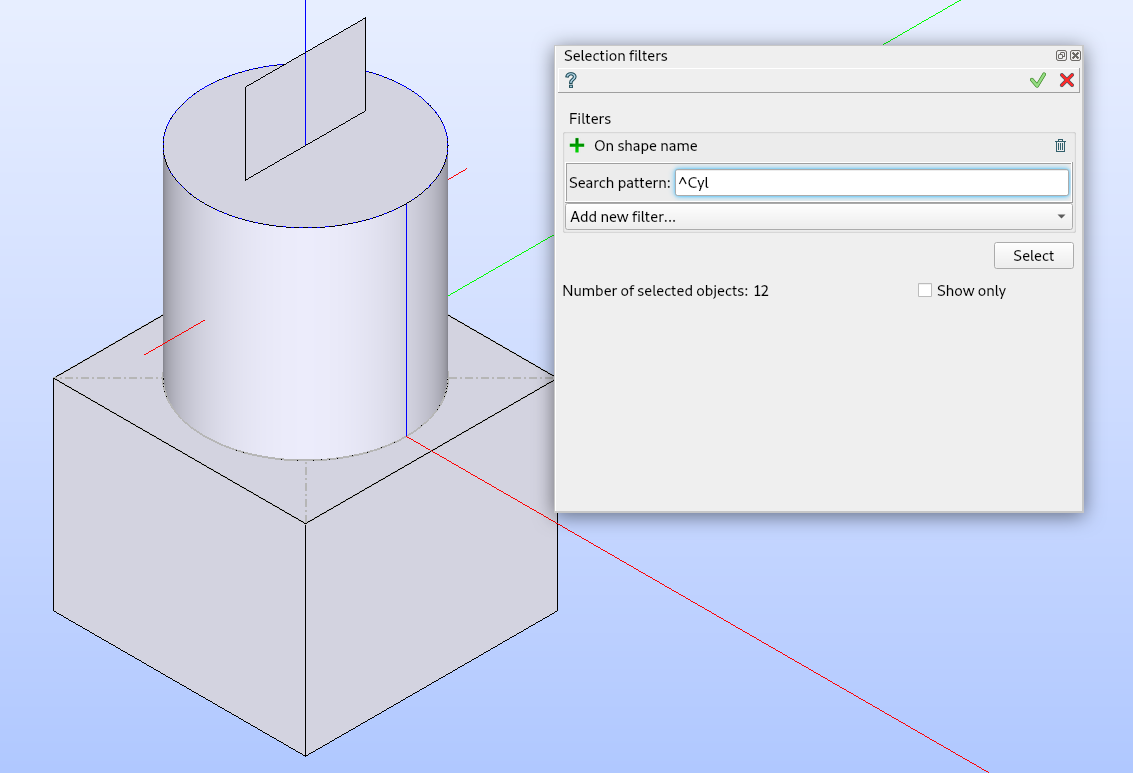
Selecting all edges belonging to objects from the result with a name starting with “Cyl”.
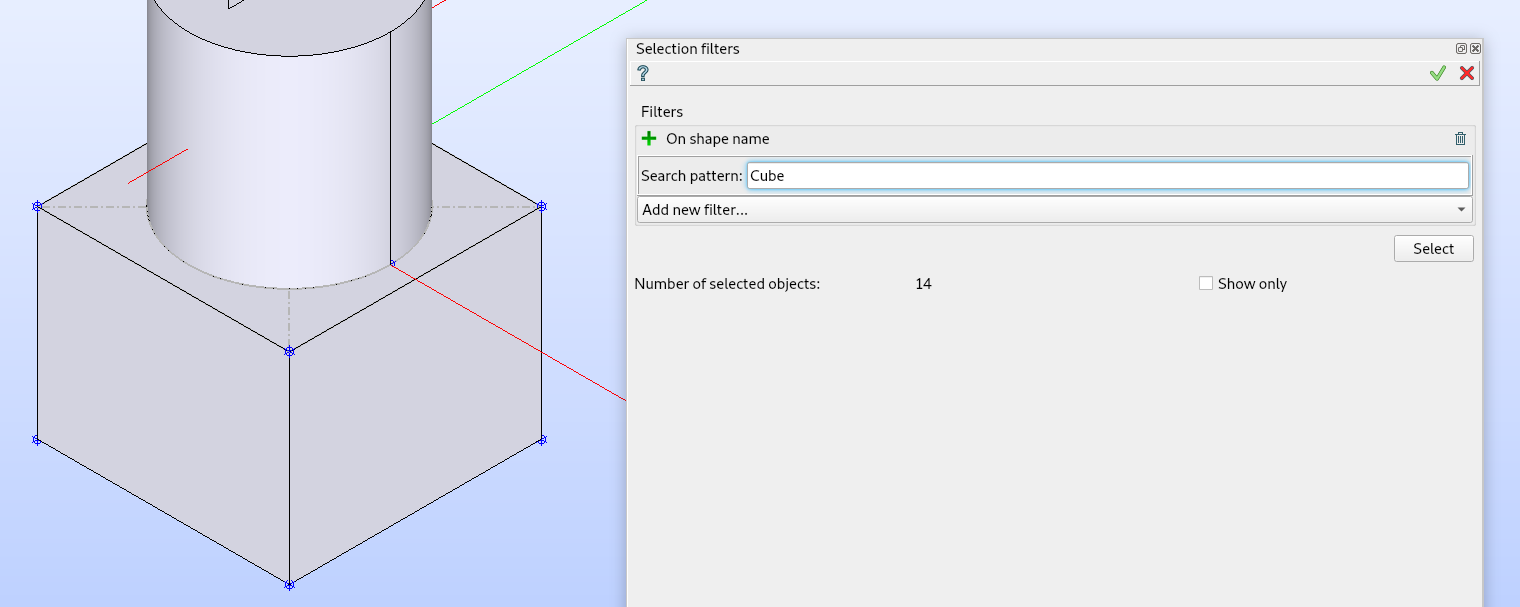
Selecting all vertices belonging to objects from the result with a name containing pattern “Cube”.
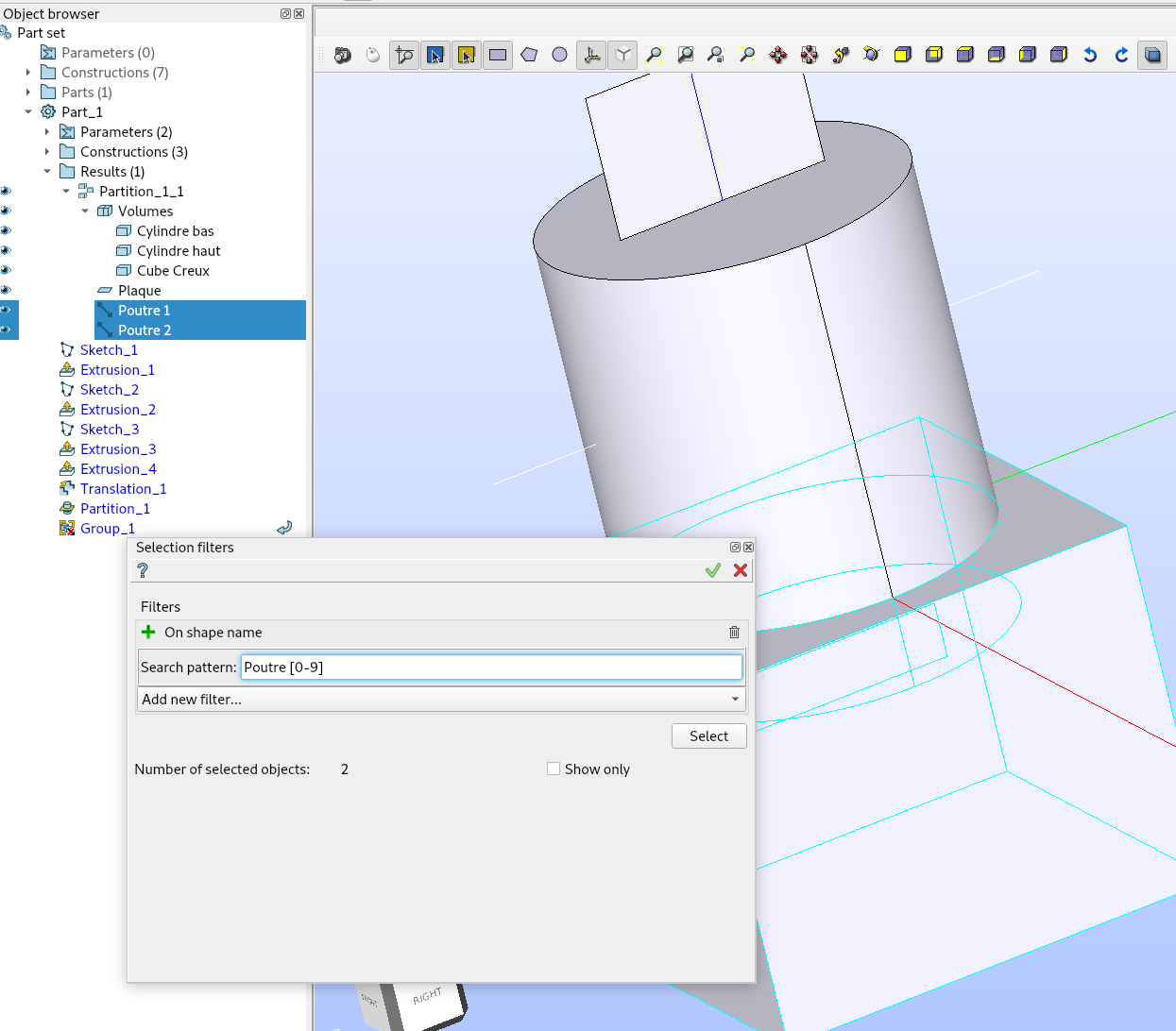
Selecting all results with names containing “Poutre”, followed by a space and a digit.