Group Addition
Group addition produces a union of all the elements of the selected groups. To create a Group Addition in the active part:
select in the Main Menu Features - > Group Addition item or
click
 Group Addition button in the toolbar:
The following property panel appears.
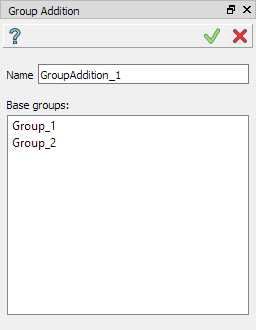
Create a group addition operation
Input fields:
Name defines the name of the group, by default, it is GroupAddition_n.
The list of selected groups of the same type. Multiple selection can be done manually in OCC 3D Viewer by mouse click with Shift button pressed or by rectangle selection. To delete entities from the list, select them and call pop-up menu Delete item.
Note, that operation is valid only for the groups of the same type.
TUI Command:
- model.addGroupAddition(Part_1_doc,
- [model.selection("COMPOUND", "Group_1"), model.selection("COMPOUND", "Group_2")])
- Parameters:
part – The current part object
list – A list of selected groups
- Returns:
Created group.
See Also a sample TUI Script of Create Group Addition operation.