Dump
The Dump feature allows exporting a current study to a Python script which dumps the study creation process as a sequence of Python commands.
It is possible to dump the current study state into a Python script. To dump a study:
select in the Main Menu Part - > Dump item or
click
 Dump button in the toolbar.
The following property panel will be opened:
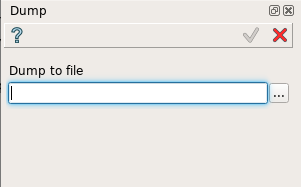
Dump property panel
In this panel it is necessary to enter a file name directly or press ‘…’ button and browse it with help of dump file dialog box:

Dump file dialog box
Apply button writes the dump file.
Cancel button cancels the operation.
TUI Command: Is not supported.
Result
The Result of the operation is a Python file.