Axis
Axis feature creates a new constructive axis line.
Axis is a construction object and it can be created in a part or in a partset. To create an axis:
select in the Main Menu Construction - > Axis item or
click
 Axis button in the toolbar
There are 6 algorithms for creation of an Axis:

By three dimensions creates an axis by dimensions along X, Y, Z axes starting form existing origin.

By two points creates an axis using existing points.

By line creates an axis using a line.

As an axis of cylindrical face creates an axis using a cylindrical face.

By plane and point creates an axis using a plane and point.

By two planes creates an axis as the intersection of two planes.
By three dimensions
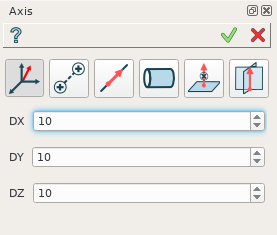
By dX, dY, dZ values
An axis is defined by dX, dY and dZ values of a vector.
TUI Commands:
- model.addAxis(Part_doc, 10, 10, 10)
- Parameters:
part – The current part object.
real – dX.
real – dY.
real – dZ.
- Returns:
Result object.
Result
The Result of the operation will be an axis defined by vector from origin:
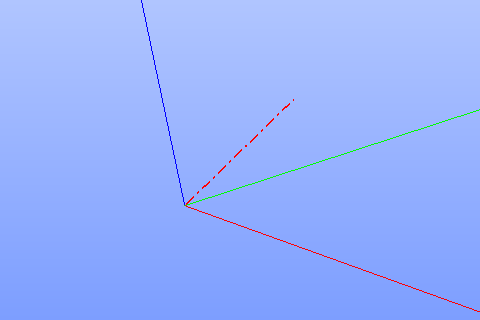
Axis by three dimensions
See Also a sample TUI Script of Create Axis by dimensions operation.
By two points
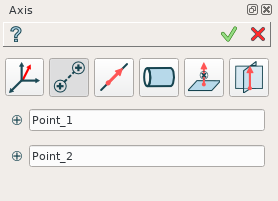
By two points
An axis is defined by two points or vertices.
TUI Commands:
- model.addAxis(Part_doc, model.selection("VERTEX", "Box_1_1/Back&Box_1_1/Left&Box_1_1/Top"), model.selection("VERTEX", "Box_1_1/Front&Box_1_1/Right&Box_1_1/Bottom"))
- Parameters:
part – The current part object.
object – Vertex 1.
object – Vertex 2.
- Returns:
Result object.
See Also a sample TUI Script of Create Axis by points operation.
Result
The Result of the operation will be an axis based on two points:
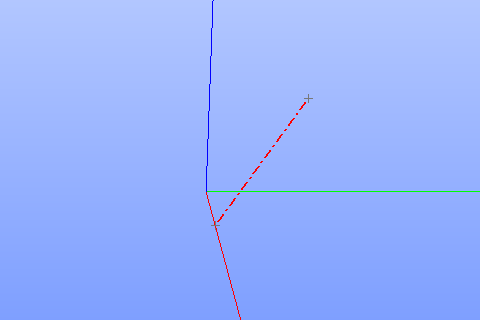
Axis by two points
See Also a sample TUI Script of Create Axis by points operation.
By line
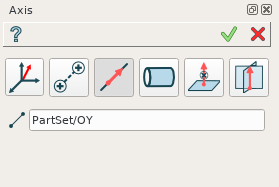
By a line
An axis is defined by a linear edge.
TUI Commands:
- model.addAxis(Part_doc, model.selection("EDGE", "Box_1_1/Left&Box_1_1/Top"))
- Parameters:
part – The current part object.
object – Edge.
- Returns:
Result object.
Result
The Result of the operation will be an axis based on the selected line:
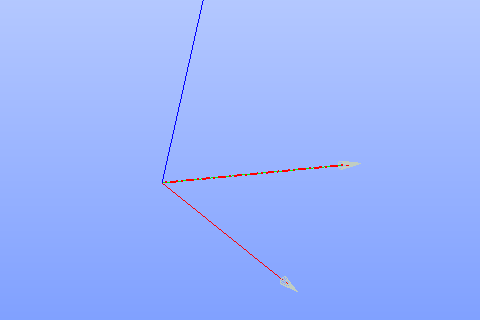
Axis by line
See Also a sample TUI Script of Create Axis by line operation.
As an axis of cylindrical face
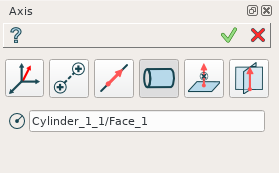
By a cylinder
An axis is defined by a cylindrical face. Axis of the cylinder will be an axis object.
TUI Commands:
- model.addAxis(Part_doc, model.selection("FACE", "Cylinder_1_1/Face_1"))
- Parameters:
part – The current part object.
object – Cylindrical face.
- Returns:
Result object.
Result
The Result of the operation will be an axis of the selected cylinder:
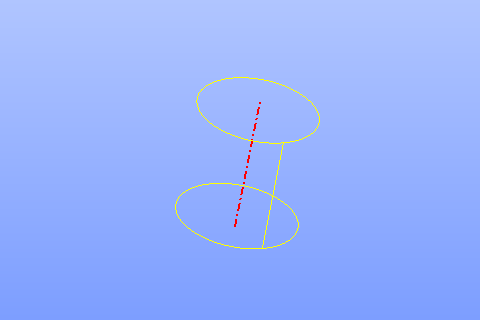
Axis cylindrical face
See Also a sample TUI Script of Create Axis by cylinder operation.
By plane and point
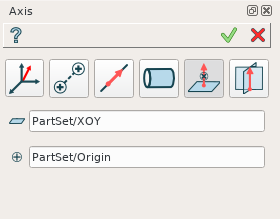
By a plane and point
An axis is defined by a point or vertex and plane (or planar face) as a normal from the point to the plane.
TUI Commands:
- model.addAxis(Part_doc, model.selection("FACE", "Box_1_1/Front"), model.selection("VERTEX", "Box_1_1/Back&Box_1_1/Right&Box_1_1/Top"))
- Parameters:
part – The current part object.
object – Plane.
object – Point.
- Returns:
Result object.
Result
The Result of the operation will be an axis:
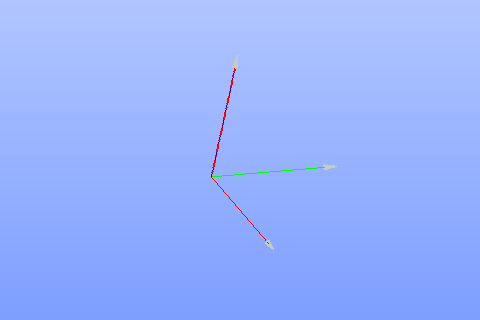
Axis by plane and point
See Also a sample TUI Script of Create Axis by plane and point operation.
By two planes
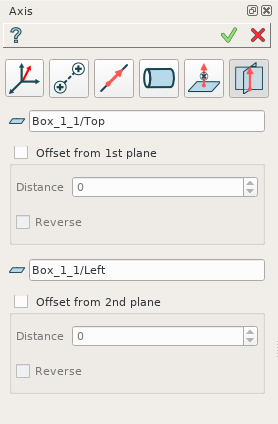
By two planes
An axis is defined by two planes. The intersection of the planes defines an axis. It is possible to define offset for axis definition from both planes.
TUI Commands:
- model.addAxis(Part_doc, model.selection("FACE", "Box_1_1/Top"), 5, False, model.selection("FACE", "Box_1_1/Front"), 3, False)
- Parameters:
part – The current part object.
object – Plane 1.
real – Offset value.
boolean – Is reversed.
object – Plane 2.
real – Offset value.
boolean – Is reversed.
- Returns:
Result object.
Result
The Result of the operation will be an axis:
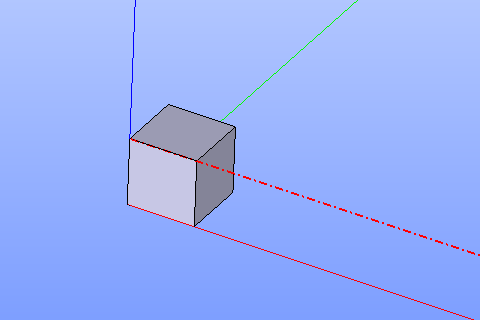
Axis by two planes
See Also a sample TUI Script of Create Axis by two planes operation.