Point
Point feature creates a new construction point.
Point is a construction object and it can be created in a part or in a partset. To create a point:
select in the Main Menu Construction - > Point item or
click
 Point button in the toolbar
There are 5 algorithms for creation of a Point:

By X,Y,Z creates a point by three coordinates.

By distance on edge creates a point on an edge.

By projection on edge or plane creates a point by projecting an existing point on an edge or plane.

By intersection of objects creates a point by intersection of planes or/ and edges.

By geometrical property of object creates a point in COG or center of arc or circle.
By X,Y,Z
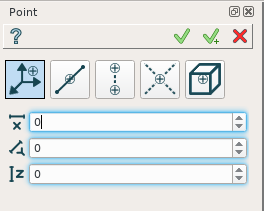
By X,Y,Z coordinates
A point is created by X, Y, and Z coordinates.
TUI Commands:
- model.addPoint(Part_doc, 50, 50, 50)
- Parameters:
part – The current part object.
real – X value.
real – Y value.
real – Z value.
- Returns:
Result object.
Result
The Result of the operation will be a construction point:
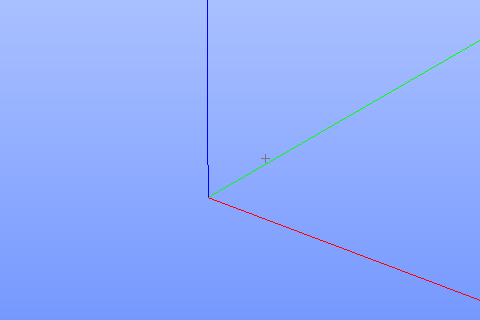
Point by coordinates
See Also a sample TUI Script of Create Point by X,Y,Z operation.
By distance on edge
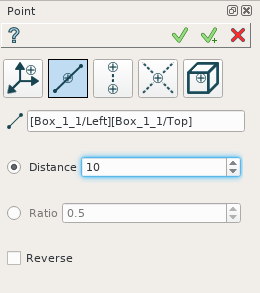
Along an edge
To create a point, select an edge in a viewer and define a distance along the edge, where point will be defined. This distance can be defined by an absolute value or by a relative one as a ratio to the edge length. The direction of the edge can be reversed by the corresponding check-box.
TUI Commands:
- model.addPoint(Part_doc, model.selection("EDGE", "Box_1_1/Left&Box_1_1/Top"), 0.5, True, False)
- Parameters:
part – The current part object.
object – An edge.
real – A value.
boolean – Is by ratio.
boolean – Is reversed.
- Returns:
Result object.
Result
The Result of the operation will be a construction point created on edge:
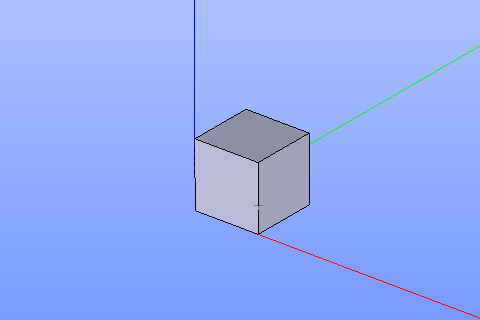
Point created on edge
See Also a sample TUI Script of Create Point on an edge operation.
By projection on edge or plane
To create a point by projection it is necessary to select an existing point or wertex which will be projected and an edge or a plane (planar face) on which it will be projected:
On an edge:
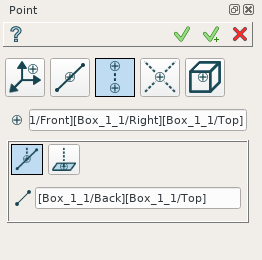
By projection on an edge
On a plane:
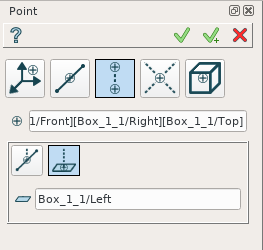
By projection on a plane
The new point will be created by projection of the selected point on the selected object.
TUI Commands:
- model.addPoint(Part_doc, model.selection("VERTEX", "Box_1_1/Front&Box_1_1/Left&Box_1_1/Top"), model.selection("EDGE", "Box_1_1/Right&Box_1_1/Top"))
- Parameters:
part – The current part object.
object – A vertex.
object – An edge or plane.
- Returns:
Result object.
Result
The Result of the operation will be a construction point created by projection on a plane or an edge:
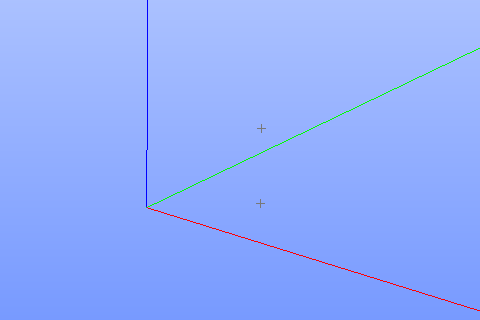
Point created by projection on a plane
See Also a sample TUI Script of Create Point by projection operation.
By intersection of objects
A point can be created by intersection of selected objects:
Two edges
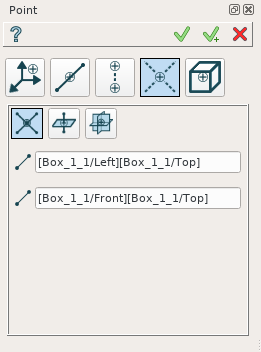
Intersection of edges
Edge and plane
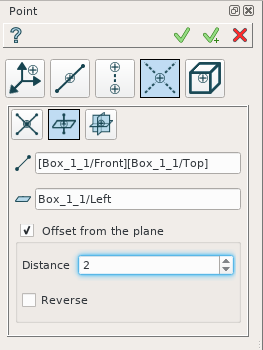
Intersection of and edge and a plane
In this case it is possible to define an offset from a plane along the plane normal for the created point.
Three planes
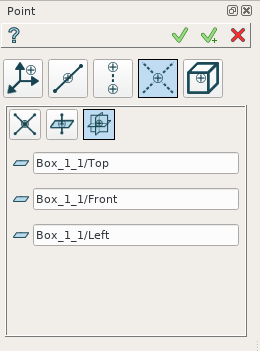
Intersection of three planes
The new point will be defined by intersection of the selected objects.
TUI Commands:
- model.addPoint(Part_doc, model.selection("EDGE", "Box_1_1/Front&Box_1_1/Top"), model.selection("FACE", "Box_1_1/Left"), 10, False)
- Parameters:
part – The current part object.
object – An edge.
object – A plane.
real – Offset.
boolean – Is offset reversed.
- Returns:
Result object.
Result
The Result of the operation will be a construction point created by intersection of objects:
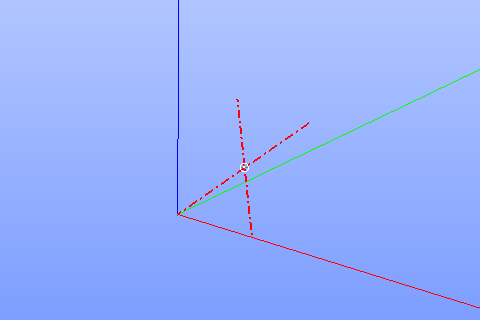
Point created by intersection of axis
See Also a sample TUI Script of Create Point by intersection operation.
By geometrical property of object
It is possible to use the following property of selected object:
A center of gravity
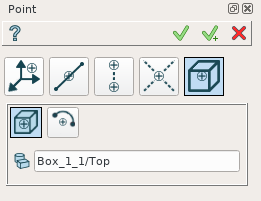
By center of gravity
A center of circle or arc
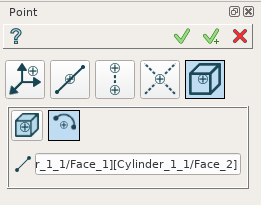
By center of a circle
To create a point, select a desirable object.
TUI Commands:
- model.addPoint(Part_1_doc, model.selection("SOLID", "Box_1_1"))
- Parameters:
part – The current part object.
object – Solid.
- Returns:
Result object.
Result
The Result of the operation will be a construction point defined by object property:
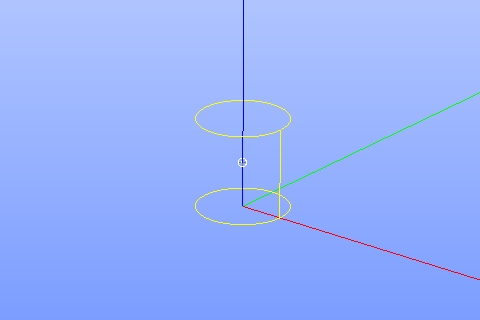
Point created in COG of a cylinder
See Also a sample TUI Script of Create Point by object property operation.