Edge
Edge feature creates one or several edges using shapes already existing in other objects.
To create edges in the active part:
select in the Main Menu Build - > Edge item or
click
 Edge button in the toolbar
The options to create edges:

By edges creates edges using already existing edges in other shapes or full sketches.

By points creates segment between two points.
By edges

Create by edges
Select one or several edges in the viewer. Also, the full sketch can be selected. In this case, all edges of the sketch will be processed. Checkbox Compute intersections forces to split sketch edges in the points of intersection.
Apply button creates edges.
Cancel button cancels the operation.
TUI Command:
- model.addEdge(Part_doc, Shapes, Intersect)
- Parameters:
part – The current part object.
list – A list of shapes.
bool – Split edges by intersection points. False by default.
- Returns:
Result object.
Result
The result of the operation will be a set of edges created from the selected shapes:
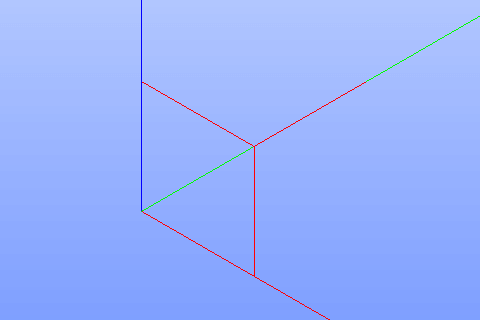
Result of the operation.
See Also a sample TUI Script of Create Edge operation.
By two points
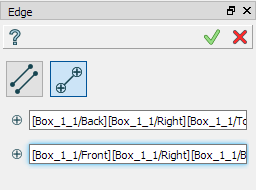
Create by points
Select two points in the viewer.
Apply button creates a segment.
Cancel button cancels the operation.
TUI Command:
- model.addEdge(Part_doc, Point_1, Point_2)
- Parameters:
part – The current part object.
object – First point.
object – Second point.
- Returns:
Result object.
Result
The result of the operation will be a segment bounded by selected points:
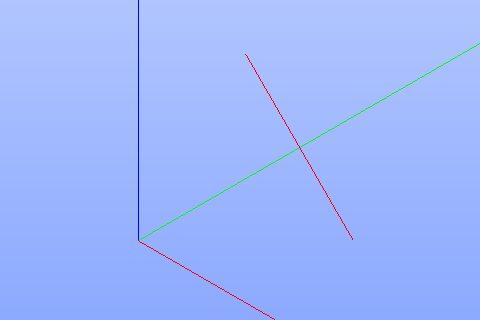
Result of the operation.
See Also a sample TUI Script of Create Edge by Points operation.