Cutting triangles
This operation cuts triangles into two by adding a node on an edge bounding these triangles.
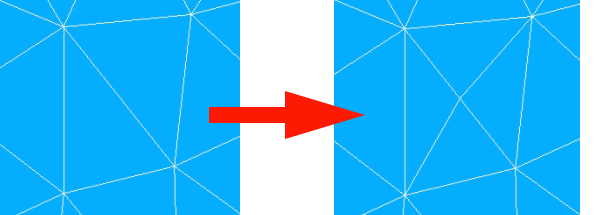
To cut triangles:
Select a mesh and display it in the 3D Viewer.
In the Modification menu select the Add node on segment item or click “Add node on segment” button
 in the toolbar.
The following dialog box will appear:
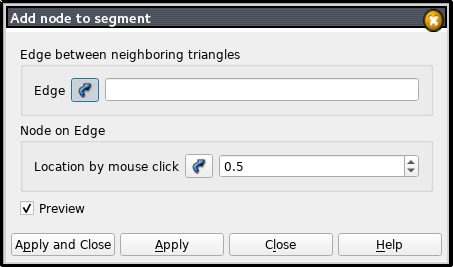
Enter IDs of nodes forming the edge in the Edge field (the node IDs must be separated by a dash) or select the edge in the 3D viewer.
Enter location of a new node on the edge which is defined as a real number in the range between 0.0 and 1.0. You can define it
by clicking with your mouse on the edge in the Viewer,
by typing a number in a field,
by setting a number using arrows of a spin box.
Activate Preview to see a result of the operation.
Click the Apply or Apply and Close button to confirm the operation.
See Also a sample TUI Script of a Cutting Triangles operation.