Cut Segment presentation
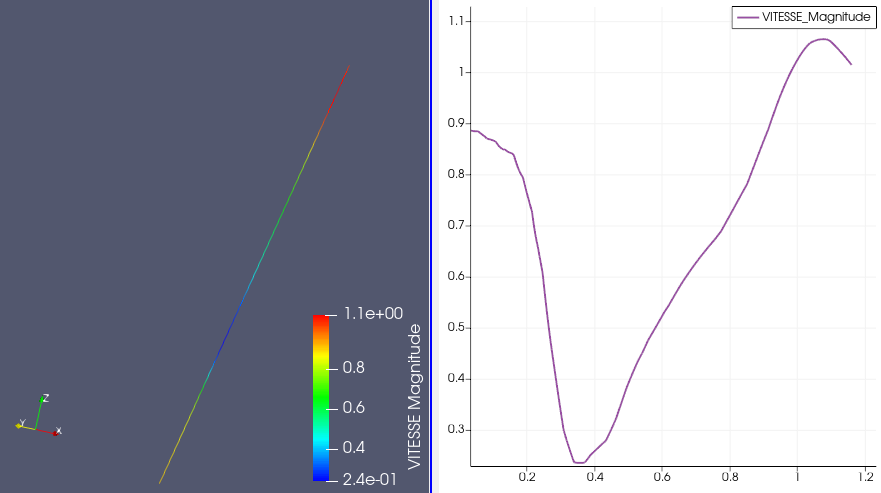
Cut segment presentation is a type of presentation which displays colored cells with applied scalar values on the mesh where cut segment is placed.
To create a Cut segment presentation,
Select a field item in the Object Browser, and
Choose Presentations > Cut segment menu or click
 button in the Presentations toolbar.
As a result, Cut segment presentation is published in the Object Browser under selected field and displayed in the 3D Viewer. In addition, 2D presentation is displayed in the 2D Viewer; this 2D presentation consist of the field scalar values located on the cut segment of the constructed presentation.
Cut segment presentation has the same base parameters as a Scalar map presentation, but in addition it also has the following own specific parameters:
Point 1: cut segment’s start coordinates,
Point 2: cut segment’s end coordinates.