Vector field presentation
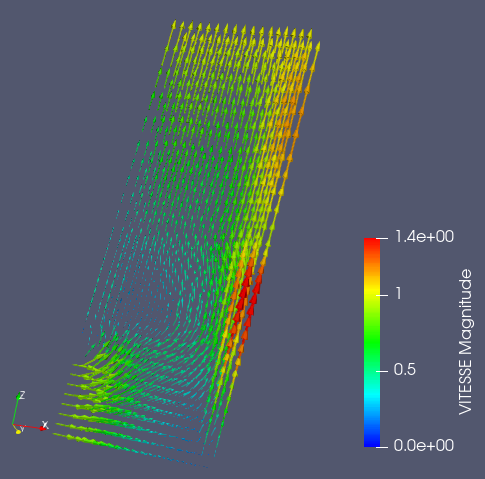
Vector field presentation visualizes vectors of the corresponding mesh cells in graphical mode.
To create a Vector field presentation,
Select a field item in the Object Browser, and
Choose Presentations > Vector field menu or click
 button in the Presentations toolbar.
As a result, Vector field presentation is published in the Object Browser under selected field and displayed in the 3D Viewer.
Vector field presentation has the same base parameters as Scalar map presentation, plus the following own ones:
Scale Factor: specifies the constant multiplier to apply - it is used to scale vectors.