Circle
The feature Circle creates a circle in the current Sketch.
To add a new Circle to the Sketch:
select in the Main Menu Sketch - > Circle item or
click
 Circle button in Sketch toolbar:
There are 2 algorithms for creation of a Circle:

By center and passed point creates a circle with the given center passing through the given point.

By three points creates a circle passing through the given three points.
By center and passed point
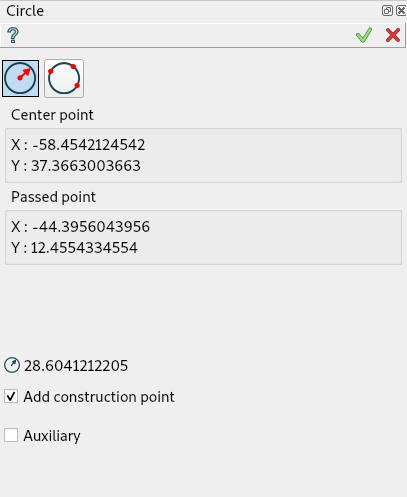
Click in the view once to set the center point, then move the mouse and click a second time to set the passed point.
When entering a center point by selecting either a point or a segment, a Coincident constraint is created.
When entering a passing point by selecting a point, a Coincident constraint is also created.
When entering a passing point by selecting a segment, a Tangent constraint is created.
“Add construction point” check box regulates the creation of an additional point on the circle. The point is a sewing point for circle. If move this point, sewing point also will be changed
TUI Command:
- Sketch_1.addCircle(CenterX, CenterY, PassedX, PassedY)
- Parameters:
real – Start X.
real – Start Y.
real – Passed X.
real – Passed Y.
- Returns:
Result object.
This method creates a circle with a visible construction point (sewing point of the circle)
- Sketch_1.addCircleWithPoint(CenterX, CenterY, PassedX, PassedY, Angle)
- Parameters:
real – Start X.
real – Start Y.
real – Passed X.
real – Passed Y.
real – Rotation angle for sewing point
- Returns:
Result object.
By three points
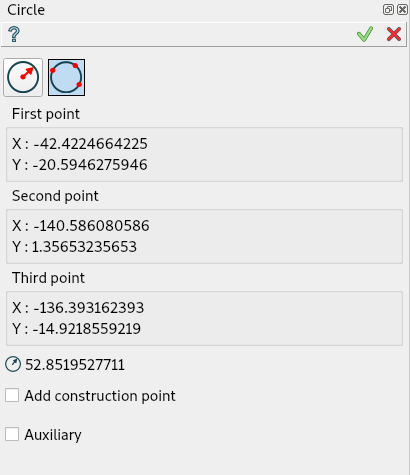
Click in the view once to set the first passed point, then move the mouse and click a second time to set the second passed point then move the mouse and click a third time to set the last passed point, and finally click last time to set point on the line.
When entering a passing point by selecting a point, a Coincident constraint is created.
When entering a passing point by selecting a segment, a Tangent constraint is created.
“Add construction point” check box regulates the creation of an additional point on the circle. The point is a sewing point for circle. If move this point, sewing point also will be changed
TUI Command:
- Sketch_1.addCircle(X1, Y1, X2, Y2, X3, Y3)
- Parameters:
real – Start X.
real – Start Y.
real – Passed X.
real – Passed Y.
real – End X.
real – End Y.
- Returns:
Result object.
This method creates a circle with a visible construction point (sewing point of the circle)
- Sketch_1.addCircleWithPoint(X1, Y1, X2, Y2, X3, Y3, Angle)
- Parameters:
real – Start X.
real – Start Y.
real – Passed X.
real – Passed Y.
real – End X.
real – End Y.
real – Rotation angle for sewing point
- Returns:
Result object.
Property panel in edition context
The following property panel appears when the user selects an existing circle.
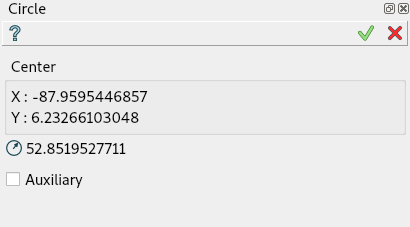
Note that the edition property panel does not show the used creation algorithm.
The panel shows:
center coordinates and radius (read-only).
auxiliary flag (can be modified).
Result
Created circle appears in the view.
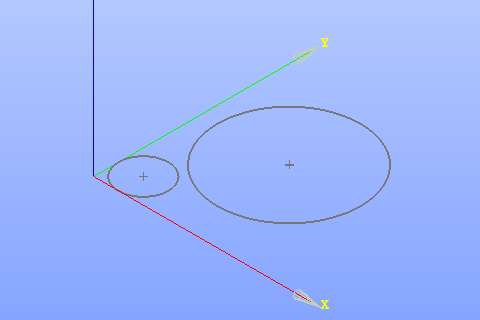
Circle created
See Also a sample TUI Script of Create Sketch Circle operation.