Horizontal constraint
Horizontal constraint fixes lines as parallel to the horizontal axis.
To create a Horizontal constraint in the active Sketch:
select in the Main Menu Sketch - > Horizontal item or
click
 Horizontal button in Sketch toolbar:
Property panel:
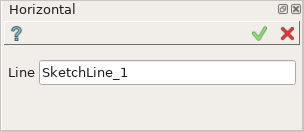
Input fields:
Line is the line selected in the view.
After the line is selected it becomes parallel to the horizontal axis in the view.
H sign is added above the line.
TUI Command:
- Sketch_1.setHorizontal(LineObject)
- Parameters:
object – A line.
- Returns:
Result object.
Result
Created Horizontal constraint appears in the view.

Horizontal constraint created
See Also a sample TUI Script of Create Horizontal constraint operation.