Curve Fitting
The Curve Fitting is a tool to create a curve by a set of given points.
To start this operation:
select Sketch - > Curve fitting item in the Main Menu or
click
 Curve fitting button in the Sketch toolbar:
There are 2 algorithms for the curve creation:
Interpolation - the curve passes exactly through the selected points;
Approximation - curve passes near the selected points to some extent.
Both algorithms have additional options:
Periodic - forces the created curve to be smooth periodic curve;
Closed - produces closed, but non-periodic curve. As a result, it has the same start and end points, but it may be connected non-smoothly there;
Create control polygon - if the fitting curve is a B-spline curve, this option will create it’s control polygon.
Interpolation

Select the list of points to create a curve. The curve will pass directly through these points in the given order.
Clicking the Reorder points button will change the order of selected points to minimize the distances between the neighbors.
TUI Command:
- Sketch_1.addInterpolation(points, periodic=False, closed=False)
- Parameters:
list – points for the curve.
boolean – flag to make the curve periodic.
boolean – flag to make the curve closed but not periodic.
- Returns:
interpolated curve.
Result
The interpolated curve appears in the view.
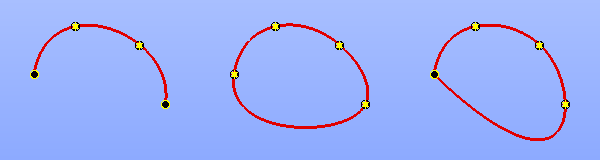
Interpolation curve (non-closed, periodic and closed)
See Also a sample TUI Script of Create interpolation curve operation.
Approximation
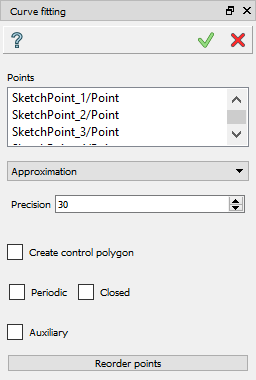
Select the list of points to create a curve and set the Precision value. The curve will pass not far than the precision of these points.
Clicking the Reorder points button will change the order of selected points to minimize the distances between the neighbors.
TUI Command:
- Sketch_1.addApproximation(points, precision=0.001, periodic=False, closed=False)
- Parameters:
list – points for the curve.
double – how close the curve should pass according to the points.
boolean – flag to make the curve periodic.
boolean – flag to make the curve closed but not periodic.
- Returns:
interpolated curve.
Result
The interpolated curve appears in the view.
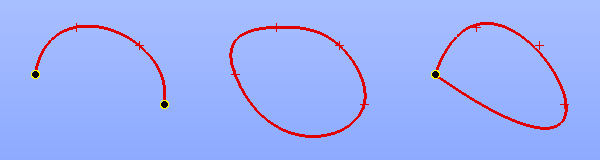
Approximated curve (non-closed, periodic and closed)
See Also a sample TUI Script of Create approximation curve operation.