Linear copy
Linear copy operation creates one or multiple copies of the sketch entities along a vector defined by two points.
To create a Linear copy in the active Sketch:
select in the Main Menu Sketch - > Linear copy item or
click
 Linear copy button in Sketch toolbar:
Property panel:
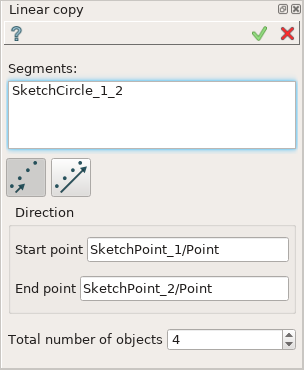
Linear copy
Input fields:
Segments is the list of segments (lines, circles, arcs) selected in the view.
- Single value/Full value option:
 Single value: step of translation is equal to the distance between the start and the end point.
 Full value: distance from the originals to the farthest copies is equal to the distance between the start and the end point.
Start point is the initial point of translation vector.
End point is the terminal point of translation vector.
Total number of objects is the total number of objects including the original one.
TUI Command:
- Sketch_1.addTranslation(Objects, Point1, Point2, NumberOfObjects, FullValue)
- Parameters:
list – A list of objects.
object – Start point.
object – End point.
integer – Number of objects.
boolean – Full value flag.
- Returns:
Result object.
Result
Created Linear copy appears in the view.
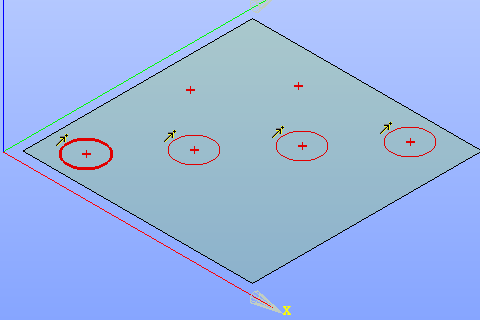
Linear copy created
See Also a sample TUI Script of Create Linear copy operation.