Fillet
The Fillet operation rounds the corner formed by intersection of two sketch elements in a coincident point.
The operation trims the elements at the intersection and creates a tangent arc between them.
To create a Fillet in the active Sketch:
select in the Main Menu Sketch - > Fillet item or
click
 Fillet button in Sketch toolbar:
Property panel:
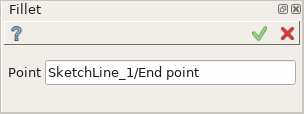
Fillet
Input fields:
Point is the coincident point of two intersecting lines (or a line and an arc) selected in the view.
After the point is selected, Fillet preview appears in the view.
TUI Command:
- Sketch_1.setFillet(Point)
- Parameters:
object – Coincident point.
- Returns:
Result object.
- Sketch_1.setFilletWithRadius(Point, Radius)
- Parameters:
object – Coincident point.
real – Radius.
- Returns:
Result object.
Result
Created Fillet appears in the view.
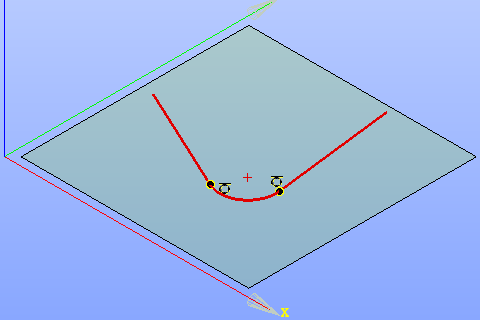
Created fillet
See Also a sample TUI Script of Create Fillet operation.