Ellipse
The feature Ellipse creates an ellipse in the current Sketch.
To add a new Ellipse to the Sketch:
select in the Main Menu Sketch - > Ellipse item or
click
 Ellipse button in Sketch toolbar:
There are 2 algorithms for creation of an Ellipse:

By center and major semi-axes and passing points creates an ellipse with the given center passing through given points.

By major axis and passing point creates an ellipse passing through the given three points.
By center and major semi-axes and passing points
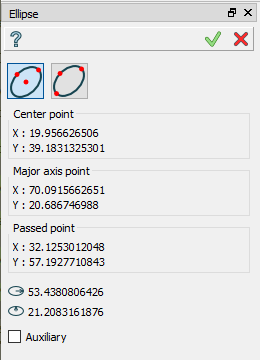
Click in the view once to set the center point, then move the mouse and click to set a point of a first semi-axis, then again move the mouse to set a point of a second semi-axis.
TUI Command:
- Sketch_1.addEllipse(CenterX, CenterY, MajorAxisX, MajorAxisY, PassedX, PassedY, True)
- Parameters:
real – Center X.
real – Center Y.
real – Major Axis X.
real – Major Axis Y.
real – Passed X.
real – Passed Y.
boolean – True mentions that the first coordinates define the center of the ellipse.
- Returns:
Result object.
By major axis and passing point
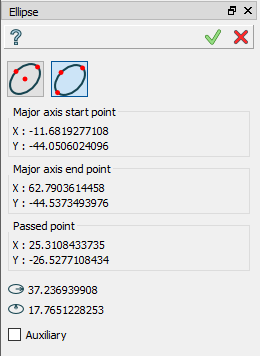
Click in the view once to set a first point of a first axis, then move the mouse and click to set a second point of the first axis, then again move the mouse to set a point of a second semi-axis.
TUI Command:
- Sketch_1.addEllipse(MajorAxisStartX, MajorAxisStartY, MajorAxisEndX, MajorAxisEndY, PassedX, PassedY, False)
- Parameters:
real – Major Axis Start X.
real – Major Axis Start Y.
real – Major Axis End X.
real – Major Axis End Y.
real – Passed X.
real – Passed Y.
boolean – False mentions that the first coordinates define the start point of major axis of the ellipse.
- Returns:
Result object.
Result
Created ellipse appears in the view.
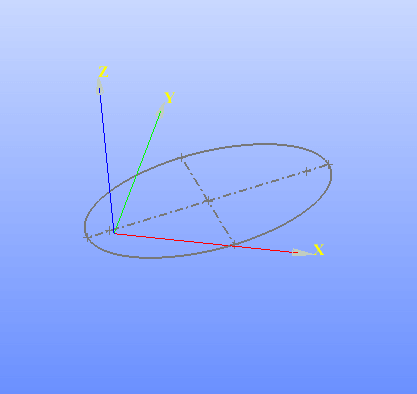
Ellipse created
See Also a sample TUI Script of Create Sketch Ellipse operation.