Check shared faces
The Check shared faces feature find the shared faces within a composolid or compound.
The result is a list of faces and a group that can be created with a specified name.
To check shared faces in the active part:
Select in the Main Menu Inspection - > Check shared faces item or
Click
 Check shared faces button in the toolbar
The property panel is shown below.
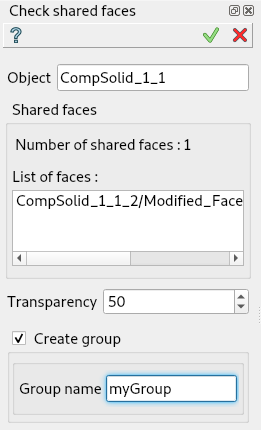
Check shared faces
Input fields:
Object contains composolid or compound selected in 3D OCC viewer or object browser.
Number of shared faces indicate the number of found faces.
List of faces the list of found faces.
Transparency set the transparency of selected object.
Create group check-box that allows the creation of the found faces group.
Group name specifies the name of the group created.
TUI Command:
- Parameters:
part – The current part object.
object – A composolid or compound in format model.selection(TYPE, shape).
string – The name of group to create
- Returns:
Created group.
Result
Result of Check shared faces where Create group is checked.
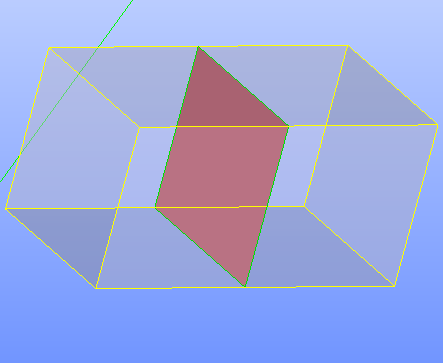
Shared faces
See Also a sample TUI Script of Check shared faces operation.