Rotation
Rotation feature makes rotation of a selected shape.
To create a Rotation in the active part:
select in the Main Menu Part - > Rotation item or
click
 Rotation button in the toolbar
Two rotation algorithms are:

by axis and angle

by center and 2 points
Rotation by axis and angle
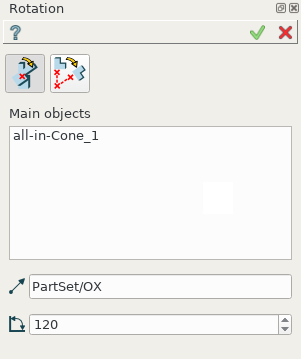
Rotation by axis and angle property panel
Input fields:
Main objects panel contains shapes to be rotated. Shapes are selected in 3D OCC viewer or object browser; Transformation of COMPSOLID subshapes is prohibited.
Axis defines the axis of rotation. The vector is an edge or axis selected in 3D OCC viewer or object browser;
Angle defines the angle by which the object is rotated.
TUI Command:
- model.addRotation(Part_doc, [shape, ]axis, angle)
- Parameters:
part – The current part object.
list – A list of shapes in format model.selection(TYPE, shape).
object – An axis in format model.selection(TYPE, shape).
real – An angle.
- Returns:
Rotated object.
Result
Result of operation is a rotated initial shape.
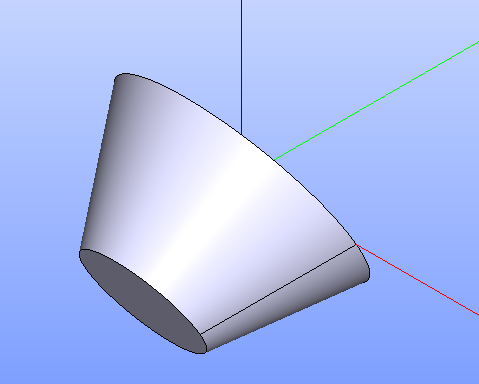
Rotation by axis and angle
See Also a sample TUI Script of Rotation by axis and angle operation.
Rotation by center and points
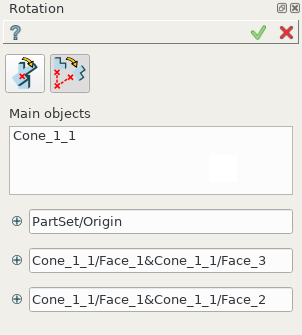
Rotation by center and 2 points property panel
Input fields:
Main objects panel contains shapes to be rotated. Shapes are selected in 3D OCC viewer or object browser; Transformation of COMPSOLID subshapes is prohibited.
Center point, Start point, End point define 3 points or vertices selected in 3D OCC viewer or object browser. Rotation axis will pass through the Center point and will be orthogonal to a plane defined by three points. Rotation Angle is the angle between two vectors directed from the Center point to Start point and End point.
TUI Command:
- model.addRotation(Part_doc, [shape], point1, point2, point3)*
- Parameters:
part – The current part object.
list – A list of shapes in format model.selection(TYPE, shape).
object – An axis in format model.selection(TYPE, shape).
object – Center vertex.
object – Start vertex.
object – End vertex.
- Returns:
Rotated object.
Result
Result of operation is a rotated initial shape.
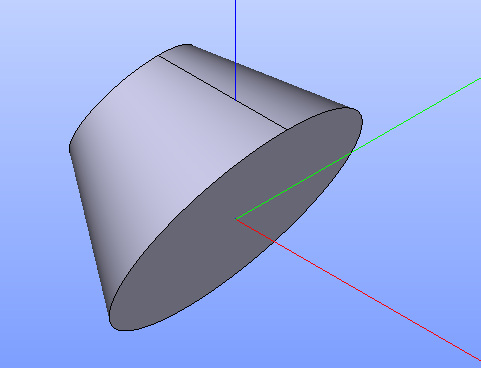
Rotation by center and 2 points
See Also a sample TUI Script of Rotation by center and points operation.