Thickness
To create a Thickness or a Hollowed Solid in the active part:
select in the Main Menu Features - > Thickness item or
click
 Thickness button in the toolbar
Two Thickness algorithms are:
make a thickness of a shell or a face

make a hollowed solid
Thickness of a shell or a face
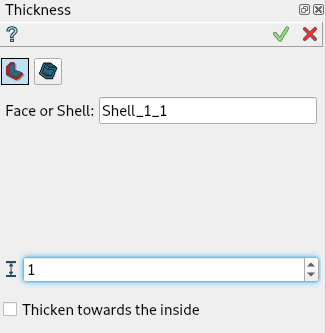
Thickness property panel
Input fields:
Shape defines the base shape (shell or face) selected in 3D OCC viewer or object browser;
Distance defines the thickness value. Negative values are not allowed;
Thicken towards the inside check box defines the thickening direction;
TUI Command:
- model.addThickness(Part_doc, shape, dist, isInside)
- Parameters:
part – The current part object.
object – A shape in format model.selection(TYPE, shape).
real – Thickness value.
boolean – Inside/outside direction flag.
- Returns:
Created object.
Result
Result of thickness of a shell.
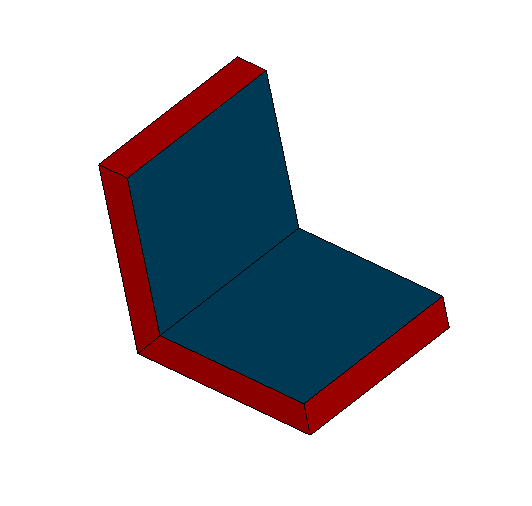
Thickness of a shell
See Also a sample TUI Script of thickness operation.
Hollowed solid
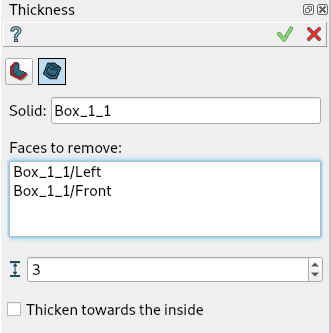
Hollowed Solid property panel
Input fields:
Shape defines the base shape (solid) selected in 3D OCC viewer or object browser;
Distance defines the thickness value. Negative values are not allowed;
Faces to remove defines the faces of the base solid, where the hole is done;
Thicken towards the inside check box defines the thickening direction;
TUI Command:
- model.addHollowedSolid(Part_doc, shape, dist, faces, isInside)
- Parameters:
part – The current part object.
object – A shape in format model.selection(“SOLID”, shape).
real – Thickness value.
objects – Faces of the solid in format [model.selection(“FACE”, shape), …].
boolean – Inside/outside direction flag.
- Returns:
Created object.
Result
Result of hollowed solid of a box. Left and front faces selected.
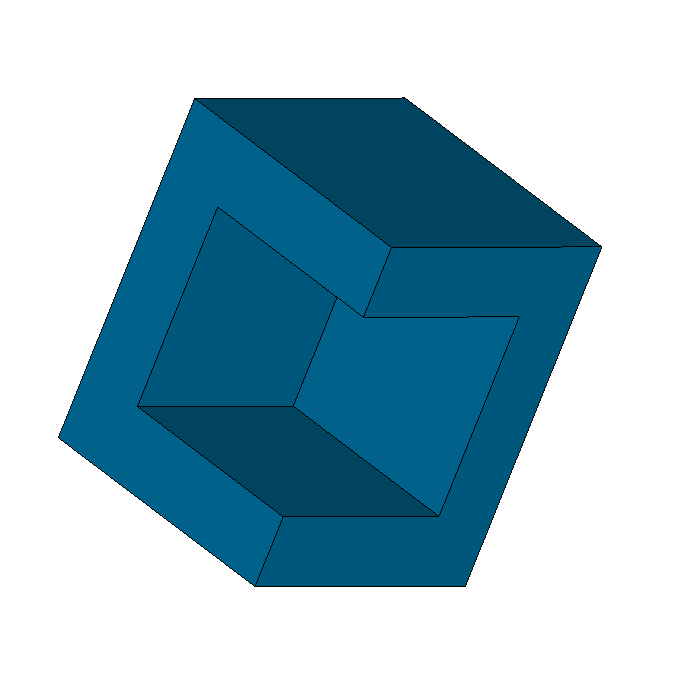
Hollowed solid of a box
See Also a sample TUI Script of thickness operation.