Loft
Loft feature is used to create a face, shell or a solid shape from two or more objects. The two objects can be edges, wires or faces but must be of the same type
To create a Loft in the active part:
select in the Main Menu Features - > Loft item or
click
 Loft button in the toolbar
The following property panel appears.

Loft property panel
Input fields:
First object defines the first shape (edge, wire, face) selected in 3D OCC viewer or object browser;
Second object defines the second shape (edge, wire, face) selected in 3D OCC viewer or object browser;
TUI Command:
- model.addLoft(Part_doc[, shape][, shape])
- Parameters:
part – The current part object.
object – A shape in format model.selection(TYPE, shape).
object – A shape in format model.selection(TYPE, shape).
- Returns:
Created object.
Result
Result of loft between two faces.
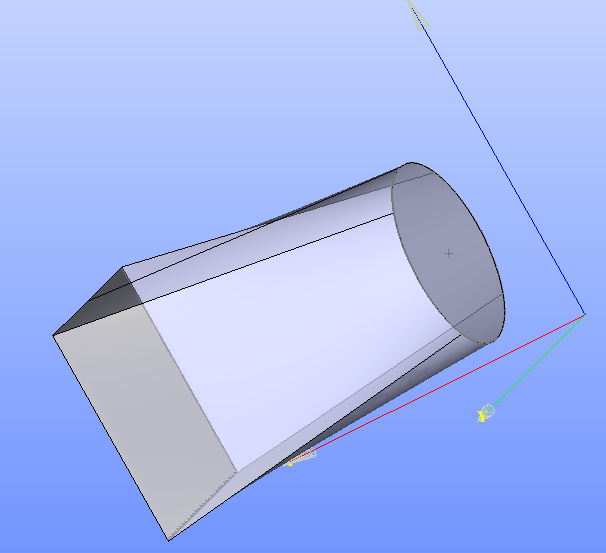
Loft between two faces
See Also a sample TUI Script of loft operation.