Placement
Placement defines position of an object relatively to another object. To make a placement:
select in the Main Menu Part - > Placement item or
click
 Placement button in the toolbar
The following property panel will be opened:
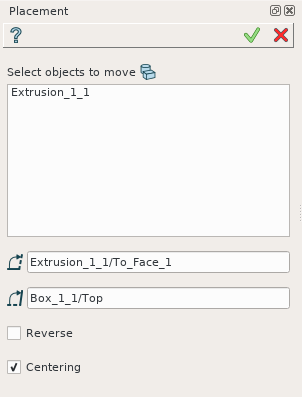
Placement operation
In this property panel, it is necessary to:
Select objects which will be moved; Transformation of COMPSOLID subshapes is prohibited.
Select a face, edge or vertex as a start for moving;
Select a face, edge or vertex as an end of moving;
Define state of Reverse and Centering check boxes.
Apply button creates the placement.
Cancel button cancels the operation.
TUI Command:
- model.addPlacement(Part_doc, placeObjects, startShape, endShape, isReverse, isCentering)
- Parameters:
part – The current part object.
list – A list of objects to move.
object – A start shape.
object – A end shape.
bool – Is reverse flag.
bool – Is centering flag.
- Returns:
Created object.
Result
The Result of the operation will be a new placement of selected objects:
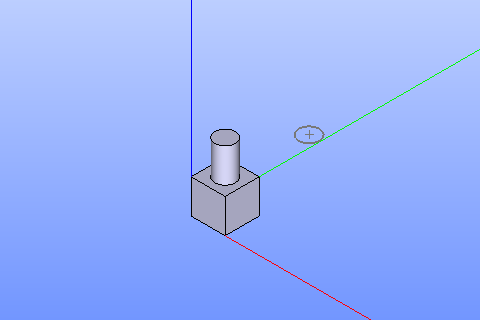
Placement created
See Also a sample TUI Script of Create Placement operation.