Fuse
Fuse feature implements a Boolean operation for fusion of a set of main objects with a set of tool objects.
To perform Fuse in the active part:
select in the Main Menu Features - > Fuse item or
click
 Fuse button in the toolbar
There are 2 options for creation of a Fuse:

Simple simply fuses selected objects.

Advanced fuse with additional functionality for subshapes of compsolids/compounds.
Simple
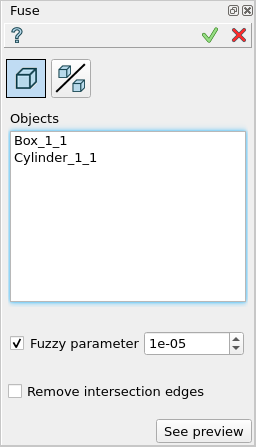
Simple
Objects - contains a list of objects selected in the Object Browser or in the Viewer, which will be fused to a single result. If a subshape that belongs to a compsolid/compound was selected, other shapes of this compsolid/compound will cut the fuse shape then will be joined to the result.
Remove intersection edges - if enabled, edges that lie on the same surface will be removed.
Fuzzy Parameter - defines the additional tolerance value used to eliminate tiny results.
See preview - button shows a result of the operation.
TUI Command:
- model.addFuse(Part_doc, objects, isRemoveEdges, fuzzyParam)
- Parameters:
part – The current part object.
list – A list of objects.
boolean – Remove edges flag (optional).
real – Additional tolerance used to eliminate tiny results (optional).
- Returns:
Created object.
Result
The Result of the operation will be a single shape which is a fuse of selected objects:
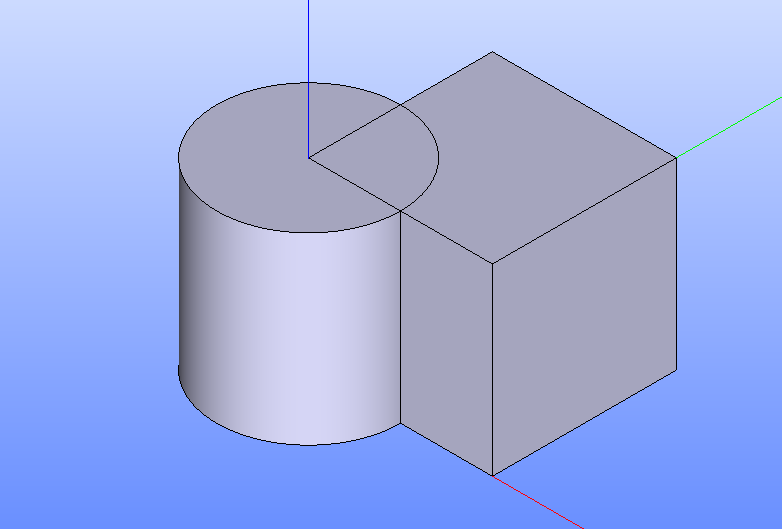
Fuse created
See Also a sample TUI Script of Create Fuse operation.
Advanced
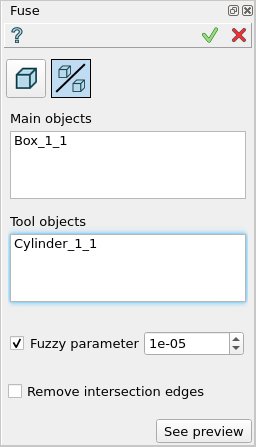
Advanced
Objects - contains a list of objects selected in the Object Browser or in the Viewer, which will be fused with tool objects. If a subshape that belongs to a compsolid/compound was selected, other shapes of this compsolid/compound will be cut from other objects (to avoid self intersection) and added to the result.
Tools - contains a list of objects selected in the Object Browser or in the Viewer, which will be fused with tool objects. If a subshape that belongs to a compsolid/compound was selected, other shapes of this compsolid/compound will be ignored.
Remove intersection edges - if enabled, edges that lie on the same surface will be removed.
Fuzzy Parameter - defines the additional tolerance value used to eliminate tiny results.
See preview - button shows a result of the operation.
TUI Command:
- model.addFuse(Part_doc, objects, tools, isRemoveEdges, fuzzyParam)
- Parameters:
part – The current part object.
list – A list of objects.
list – A list of tools.
boolean – Remove edges flag (optional).
real – Additional tolerance used to eliminate tiny results (optional).
- Returns:
Created object.
Result
The Result of the operation will be a single shape which is a fuse of selected objects and tools:
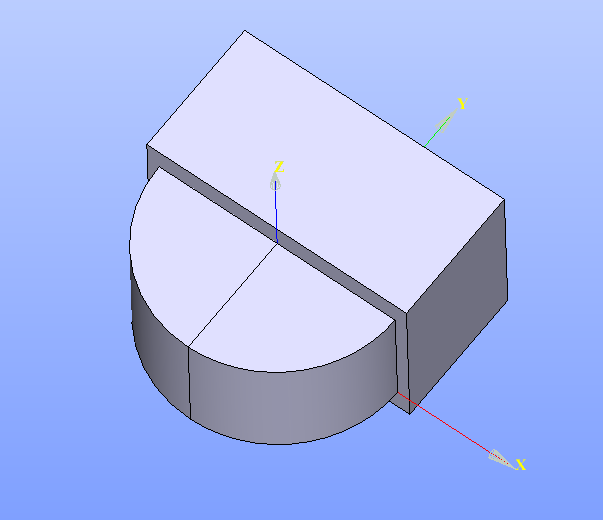
Fuse created
See Also a sample TUI Script of Create Fuse operation.